-1.png?height=120&name=Quartet%20logo%20(light)-1.png)
Get started from Quartet's Home page to start searching.
The Home page shows all of a user's projects. When a user begins searching, they must either create a new project or select an existing project.
To start searching, the user may:
- Create a new project: Click New project > Enter text into at least one of the Reference field or the Project name fields (text entry into Project description field is optional)
- Select existing project: Click a project anywhere on the project line
- Search method buttons: Select one of the three methods near the top to add to an existing search or to create a new search
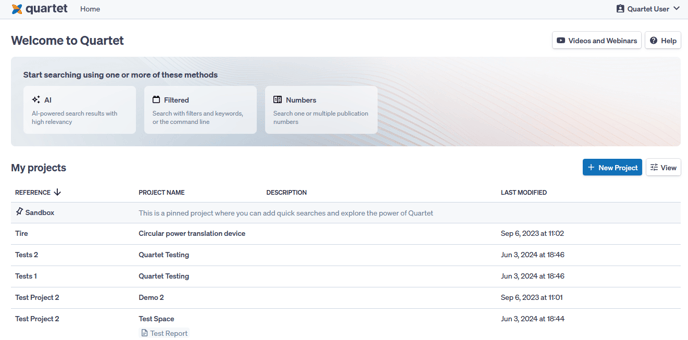
Search Method Buttons
Near the top of the home page are buttons for each of the search methods in Quartet:
These are the same methods available inside a project.
The user can click these buttons to jump to that search method. When clicking a search method button, a drop down menu will prompt the user to add the search to the Sandbox, a listed recent project, or to create a new project.
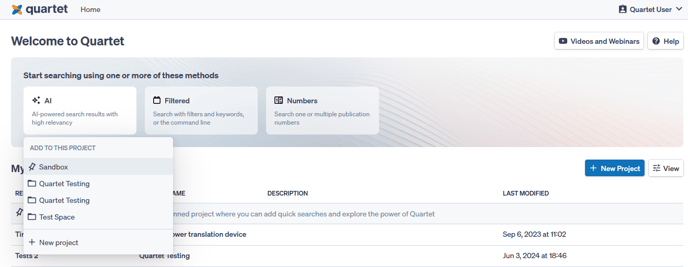
Sandbox
The Sandbox is a default project pinned to the top of the list of projects and is available for every user. It is a quick search environment a user can use to quickly run some strings without having to create a separate project. The Sandbox “project” can be treated as the “junk drawer” of search projects.