-1.png?height=120&name=Quartet%20logo%20(light)-1.png)
The legal status of a family can be quickly determined from both Results view and Representative view.
In Quartet, the legal status of a family is considered dead only if all members of the family have expired. If at least one member of the family is still live, the family is considered alive.
Legal status is shown generally with the following icons and colors:
 Alive
Alive
 Recently lapsed
 Dead
Dead
Recently lapsed has a 1 year window. After 1 year the status converts to "Lapsed."
The 1 year window is chosen to reflect the most common time period where a patent's status could be revived, however each jurisdictions has specific limitations regarding when and how a granted patent can be revived.
Check the national register for the official legal status and legal events.
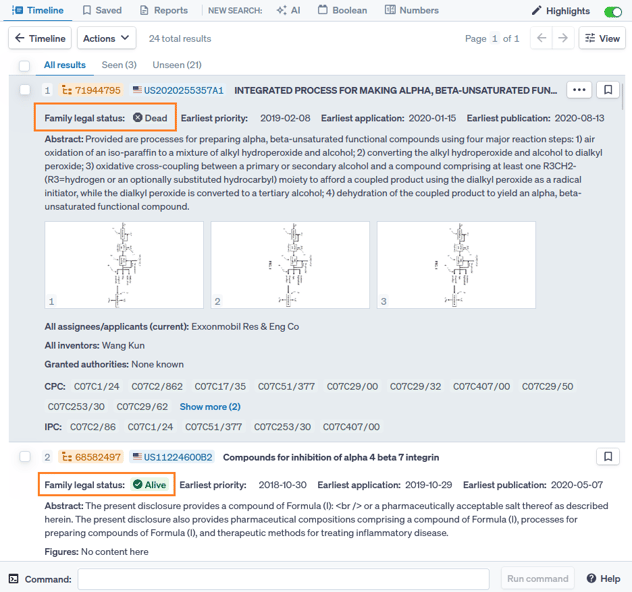
Legal status in Results view
In Results view, the family legal status is shown immediately below the DOCDB family number and representative publication number.
Legal status in Detail view
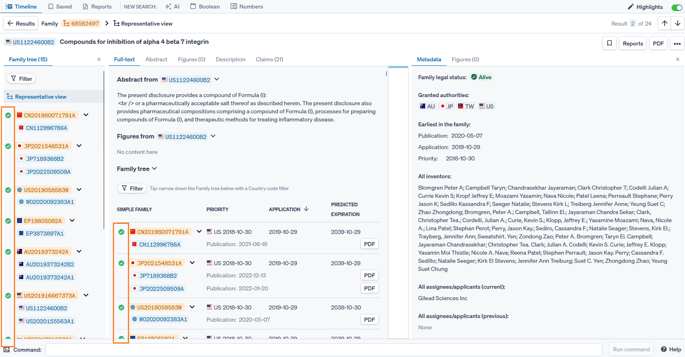
Multiple legal statuses can be seen in Detail view.
The legal status of each domestic family within the simple family is shown in both the Family tree on the left and the Family tree under the Full-text tab.
The Metadata tab shows family legal status of the selected publication. If Representative view is selected from the Family tree, then the Family legal status will be shown. If a specific publication is selected, then the legal status as well as a list of Application events will be shown.
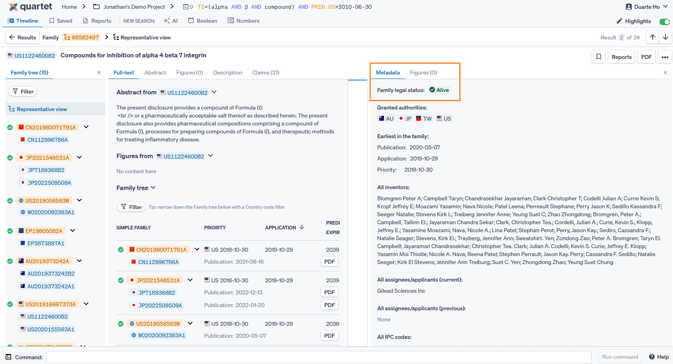
Family legal status in Metadata tab
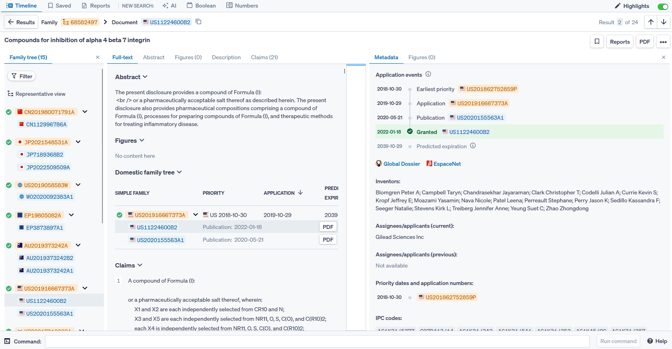
Publication-specific application events in Metadata tab
Searching by Legal status
A text box to search by legal status is available in the Boolean search form.
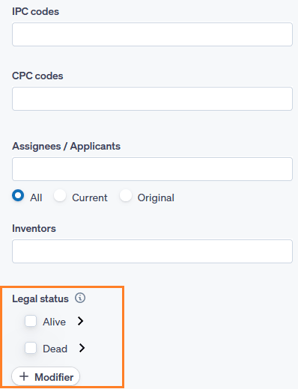
Legal status is also searchable using Boolean syntax in the Command line. The command takes the form of:
LGL=(legal status expression)
Wherein field "LGL" signifies legal status and the legal status expression are taken from the table below. The expression can use both long and short form of the terms, and these can be used interchangeably.
| Long form | Short form |
| alive | |
| dead | |
| pending | pend |
| granted | grant |
| lapsed | laps |
| recentlylapsed | rlaps |
| longlapsed | llaps |
| revoked | rev |
| expired | exp |
Examples:
LGL=Alive
LGL=recentlylapsed
LGL=(alive OR rlaps)
LGL=(dead NOT alive)
Note that LGL=(not dead) is not allowed
Boolean legal status expressions only allow one level. As such an query such as LGL=(alive NOT (lapsed OR exp)) is not allowed. However statements combining multiple Boolean expressions like LGL=Alive AND LGL=(rlaps OR llaps) are allowed.